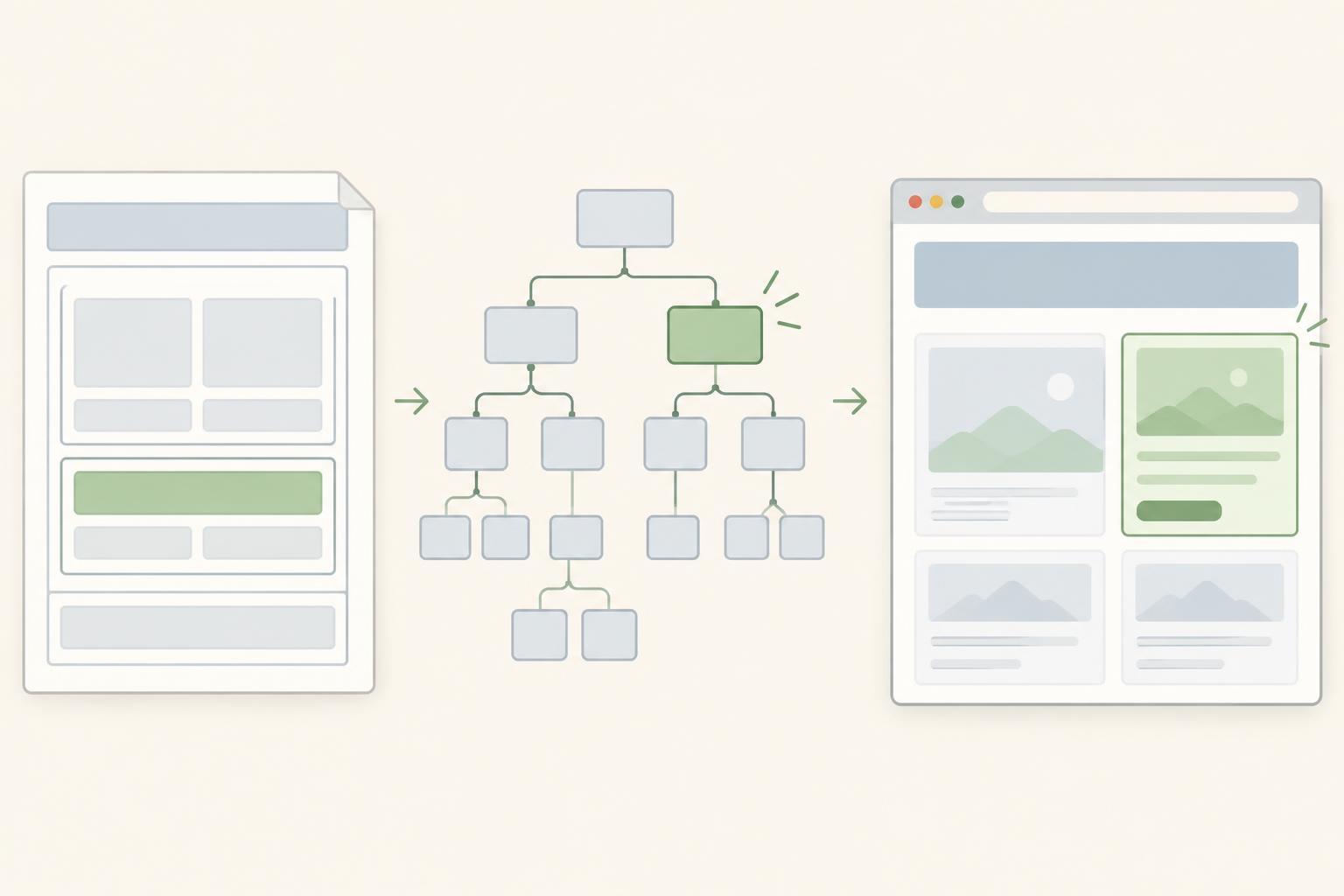
HTML describes the page; the DOM represents it
HTML gives a web page structure. It identifies content such as headings, paragraphs, links, and buttons, and it describes how those pieces are nested. A browser reads that HTML and builds an in-memory representation called the Document Object Model, usually shortened to DOM. The DOM gives the browser and JavaScript a way to find and work with parts of the page.
Think of an HTML document as a set of building instructions and the DOM as the structure the browser builds from them. That comparison is useful, but it is not exact: the browser follows parsing rules and may add or rearrange certain elements when the HTML is incomplete. The DOM is therefore related to the HTML source, but it is not simply a copy of the source text.
Why people call the DOM a tree
The DOM is organized as a tree of nodes. The document sits at the top, with elements arranged beneath it according to their relationships. If a paragraph is inside a section, the paragraph element is a child of that section element. Text inside the paragraph is represented by a text node. These parent-and-child relationships let code navigate the page without searching through raw HTML characters.
Suppose a page contains a main area with a heading followed by a button. In the DOM, the main element has the heading and button as children. JavaScript can select the heading, read its text, or replace that text. It can also create a new element and insert it into the main area. The browser can then update the displayed page to reflect the change.
How JavaScript uses the DOM
JavaScript accesses the page through an object named document. For example, document.querySelector("h1") asks for the first heading element that matches the h1 selector. If the page has such a heading and the code runs after the browser has parsed it, document.querySelector("h1").textContent = "Welcome" changes that heading’s text to Welcome. This example needs only a modern browser with developer tools; it does not require a framework or a particular library version.
The assumptions matter. If there is no matching heading, querySelector returns null, and trying to set its textContent causes an error. If a script runs before the heading exists in the DOM, it can encounter the same problem. One approach is to run the script after the relevant HTML has been parsed, such as by using a deferred script. For a larger feature, it is also sensible to check that the selected element exists before changing it.
The DOM can support more than text changes. JavaScript can respond to a button click, add a list item, remove an element, or change an element’s attributes or classes. These actions change the browser’s current page representation. They do not usually rewrite the original HTML file on a server or on your computer.
Why the DOM can differ from the HTML source
The HTML source shows the document that was delivered or saved. The DOM shows the browser’s current interpretation of the document. They may differ because the browser adjusted incomplete markup during parsing or because JavaScript changed the page after it loaded. For example, a script might add a message after someone presses a button. That message appears in the DOM even though it was not written into the original HTML file.
This distinction is useful when debugging. If an element appears on the page but not in the source you expected, inspect the DOM to see where it currently sits. If a script cannot find an element, check whether the element exists, whether its selector matches, and whether the script runs too early. Treat the source and the live DOM as two views that answer different questions.
A small way to explore it yourself
Open a simple page containing a heading in a browser, then open its developer tools. Use the Elements panel, or the similarly named DOM inspector, to find the heading. Notice how it sits beneath other elements in the tree. With that heading present, enter document.querySelector("h1").textContent = "Welcome" in the JavaScript console. The displayed heading should change. If it does not, check the console for an error and confirm that the page contains an h1 element.
Now compare the inspector with the page’s original HTML source. The inspector should show the heading’s current text, while the original source will generally still show what was there before the console command. That one experiment captures the central idea: HTML describes the starting structure, and the DOM is the browser’s working representation of the page.